
IObit Guide Compares Windows File Managers for 2026
IObit published a guide comparing Windows file managers for 2026, covering Windows File Explorer, Files, OneCommander and Directory Opus. It also details password-protecting sensitive folders with the Safe Folder feature in Advanced SystemCare.
 IObit
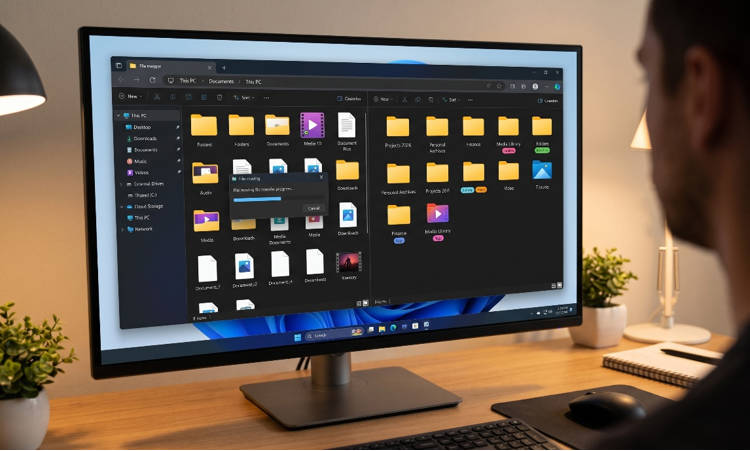
IObit published a guide comparing file managers for Windows in 2026, covering the built-in File Explorer, the Files app, OneCommander and Directory Opus, alongside instructions for protecting private documents. The guide defines a file manager as the primary desktop utility for browsing, creating, moving and organizing files and folders through a visual interface rather than commands in PowerShell or Command Prompt.
What modern file managers handle
According to the guide, a modern file manager handles routine operations while providing advanced system controls across four core functions:
- Directory navigation: browsing nested folders, internal hard disks, flash drives and connected cloud storage.
- File manipulation: copying, moving, renaming, deleting, compressing and extracting archives without data corruption.
- Search and indexing: locating files rapidly using metadata filters such as format, date and size.
- File previews: inspecting photos, PDFs and text documents without opening external viewer software.
The guide lists the workflow gains as saving time finding and organizing files, improved multitasking via dual panels, automated routine maintenance through multi-file renaming tools, and storage health monitoring through built-in disk analyzers.
The four tools profiled for 2026
The guide profiles four desktop solutions, with strengths, limitations and pricing for each:
- Windows File Explorer: includes folder tabs, an updated context menu, OneDrive integration, a Quick Access favorites panel and a search bar supporting keyword and extension filters. It lacks native dual-pane views and offers limited advanced batch renaming and deep metadata filters. It is free and bundled with Windows.
- Files app: an open-source utility with Fluent Design transparency, modular sidebars and customizable theme palettes, plus tabbed navigation, a dual-pane layout, integration with Google Drive, Dropbox and OneDrive, and color-coded item tagging. It uses more memory than File Explorer on older PCs and may pause when reading folders containing thousands of files. It is free via GitHub, with an optional paid store edition at $8.99.
- OneCommander: offers Miller Columns alongside traditional dual panes, customizable horizontal and vertical window splits, a Quick Look preview window for documents, photos and video, color-coded metadata tags, and extensive hotkey configuration with adaptable workspace layouts. It has a steeper learning curve for users unfamiliar with column-style navigation. It is free for personal use, with a commercial Pro license starting at $24.99.
- Directory Opus: provides true dual-pane file management with independent folder trees and toolbars, integrated FTP and SFTP clients for remote server files, a batch renaming engine supporting regular expressions and custom macros, and a metadata editor for inspecting photo EXIF data and document properties. Its purchase price is higher than simpler free utilities, and its extensive configuration menus require dedicated time. The Light edition costs roughly $40 AUD and the Pro edition roughly $66 AUD, with a 30-day evaluation trial.
Password protection with Safe Folder
The guide details steps to protect sensitive folders using IObit's Advanced SystemCare, which includes Safe Folder, a PRO security feature designed to shield confidential folders behind strong password protection.
The steps are to download, install and activate the PRO edition to unlock privacy tools; open the main interface, click the Protect tab and locate the Safe Folder module; then toggle Safe Folder on, click the setting icon, import sensitive files and set a custom password under the Settings tab.
Additional Advanced SystemCare features
The guide states the software also functions as a PC cleaner and maintenance suite for Windows, including:
- Anti-spyware and anti-tracking: real-time privacy shields that block suspicious spyware threats, erase browser tracking cookies automatically and hide the digital fingerprint.
- Real-time tuneup: releasing unnecessary background programs and services according to the chosen mode.
- Performance monitor: optimizing RAM and processor allocation to keep active work software running smoothly.
- AI and manual junk cleaning: scanning and fixing to clean junk files, delete invalid registry entries and reclaim storage space with one click.
The guide also cites marketing figures for the product, including 420 billion traces removed and 85 EB of junk files cleaned, 80 million unauthorized access attempts blocked and 20 million bugs fixed, and 6 million hours of startup time saved, plus an AI mode for automatic cleaning and care.
Original publication date
November 3, 2026